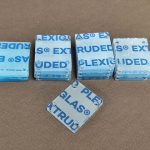
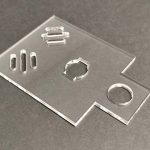
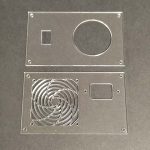
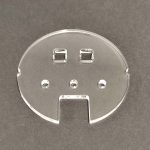
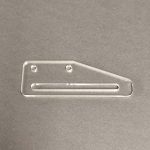
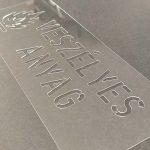
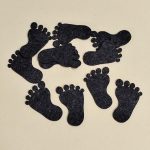
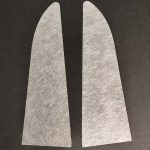
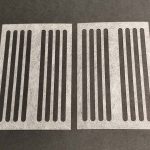
Basically just the lines you actually want to cut.If your design includes lines that you don’t want to be produced, select them and place them separately on the “No Function” layer on the top icon bar, and we will not produce those shapes.Be sure to pay attention to:If there are comments in the design: make sure to put them on the “No operation” layer, otherwise the price calculator will include the shapes in the final price.The shapes to be cut should be clear: do not place multiple outlines, enclosing frames, design documentation headers, drawing sections, or frames representing material boards on the design in the cutting or engraving layers.In summary: only the drawing lines that you want to be produced during laser cutting should be included in the design, and those that you don’t want to be cut, delete them or put them in the “No operation” layer.Otherwise, it will not be clear what exactly you want to have produced, and clarifying this can delay production for days.Furthermore, the price calculator does not only take into account the size of the workpiece when calculating the price, but also the length of the design to be cut.Unnecessary inscriptions, frames and shapes only increase the total amount.
The calculator shows the exact price of laser cutting based on the uploaded file.The question arises from our customers from time to time, what is the price of laser cutting, e.g.per cm, whether it is worth starting the design at all.Basically, the calculator takes into account the number of pieces to be produced, material variant properties, cutting/engraving lengths, the complexity of the geometry, and calculates a price based on this, so we cannot generally give a single HUF/cm cutting price.Depending on the material thickness and material type, the price of laser cutting is approx.The cost of the cut itself falls between HUF 1.5-10/cm, which does not include the material price (the calculator also includes the material price in the price).There is also a big difference in the prices of the raw material: a cast acrylic board costs approx.It costs 2.5x as much for the same thickness as plywood.
We work with 1000x500mm boards, so the maximum size we can cut is approx.995x495mm.
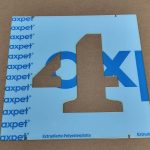
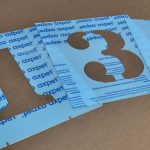
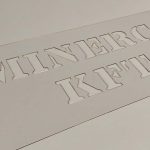
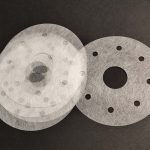
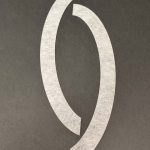
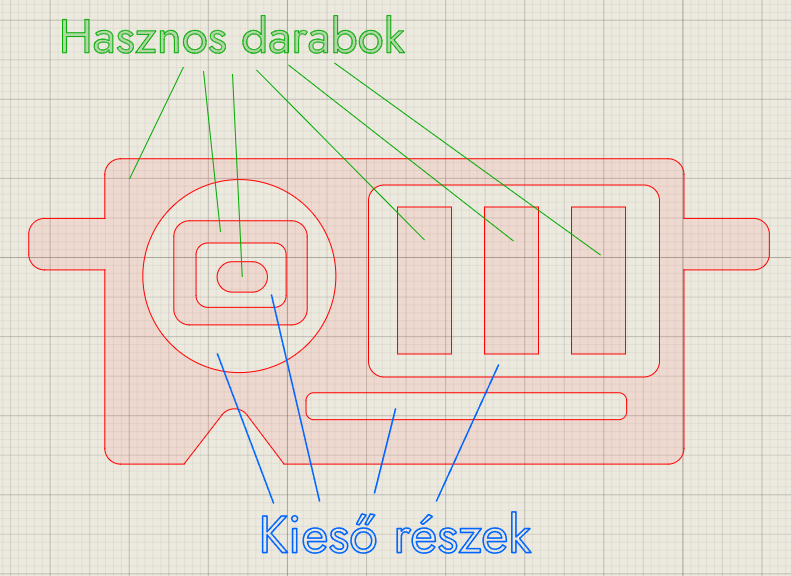
If the missing parts are the internal shapes of the letters of the texts, they will always be sent together with the order.In other cases, please let us know in the comment box if you need the missing parts and we will include them in the package.We cannot reuse the lost parts.
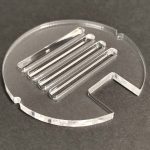
Yes.There is no obstacle to nest several shapes in one design and then order this.If you are nesting several designs, be sure to keep these in mind:Maximum size: the working area of our machine is 1000x500mm, so this is the maximum board size for assembly.A distance of at least 5 mm is required between the individual shapes: since we manufacture the various customer orders at the same time by nesting them on a larger board, the Z-direction twisting of the board may cause problems if the board does not remain stable as a whole.Furthermore, in the case of acrylic and other plastics, the thin bridges may deform, and because of this, the workpiece itself may also be deformed.Arrange the shapes in as small an area as possible, because the price calculator takes the size of the entire design as a basis when calculating the material requirement.If the shapes are scattered in the file, it unnecessarily increases the price received.In the case of engraving, the website calculates the price as the laser cutting machine will engrave: the laser head scans left and right over the material and turns on the laser source when it is necessary to engrave.It steps up in the Y direction per pixel line with 0.05-0.1mm increments.If the text or figure to be engraved on your design is small compared to the size of the workpieces (e.g. 10mm wide engraving on a 100mm wide piece), and you nest 5-10 pieces of this workpiece next to each other in the DXF file, the price of the engraving will be much higher than if the small parts were engraved individually.It is mainly worth nesting if you want to cut out a lot of pieces from some special shape: there are shapes that would be a big waste of material to cut out by themselves, e.g.large diameter circle ring.In such cases, it may be worthwhile to nest shapes that fit into the missing part of the ring, because we cannot use the missing material during later laser cutting.If you do not install anything on the missing part, but indicate in a comment that you require the missing part, we will be happy to send it to you together with the finished pieces.When is it worth installing?If, due to the nature of the shape to be cut, production is more economical this way, i.e. the raw material cost is lower.The production is more environmentally friendly, since we cannot use the discarded inner material for new production.When is it NOT worth nesting?If you want to order several pieces from the same design and nest this piece on a board in multiple copies (e.g. in a 5×5 montage).The larger the size you want to order, the more difficult it is to manufacture the item without errors, so the price calculator automatically gives a higher price for larger pieces.Nesting several different designs onto a larger board also increases the manufacturing size and complexity, and thus the cost.So, if e.g.if you want to order 36 pieces of a 100x100mm shape and nest them in a 9×4 layout, then upload this assembly and ask for 1 piece, then the price will be higher than if you upload the original 100x100mm file and simply set the number to 36.You can get the best price if you put each piece to be manufactured as a separate item in the basket.
The smallest letter size that can be engraved legibly is approx.2-3mm depending on the font.If you design smaller or thinner letters, they will appear fainter or not at all on the surface.When engraving, pay attention to:The shapes to be engraved must have a width of at least 1 mm.Let it be approx.1mm distance between shapes and letters.The engraving is done with a laser beam with a diameter of 0.1 mm, so this is the theoretical minimum that can be engraved for the details, but it is difficult to implement in practice.If e.g.would like to order a business card made of plywood, it is worth ordering a prototype for larger quantities.
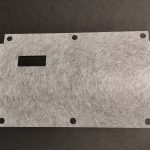
The smallest shape that can be cut out is approx.It is 10x10mm in size, but it depends heavily on the material.In the case of plywood, cardboard, fiberglass, felt, the limiting factor is that the cut shape passes through the honeycomb grid of the laser cutting machine.In the case of plastics, the determining factor is how much the part to be cut can overheat and thus deform during cutting.For acrylic, polyester (PET) and EVA foam:Smallest shape that can be cut out: approx.10x10mmSmallest hole/cutout: the same as the material thicknessIn the case of plastic materials, it is particularly important to keep distances between the individual cutouts within the contour at least equal to the material thickness.Otherwise, the narrow-walled parts of the material may be deformed due to the thermal effect of laser cutting.Another problem that arises with small cutouts is that the cut-out part can overheat, its wall can melt and stick to the wall of the cut-out or hole when it comes out.After removal, this can cause an aesthetic problem on the wall of the cutout.In the case of acrylic and EVA foam, we therefore recommend that all parts of the part to be cut out should preferably be at least as wide as the material thickness, because parts with a width smaller than this can be deformed by heat.Please note that we also prepare orders that contain too narrow shapes or walls to the customer’s order, but the above-mentioned problems may occur with these.For plywood, cardboard, fiberglass, felt and other non-plastics:Smallest shape that can be cut out: approx.10x10mmSmallest hole/cutout: approx. the same as the diameter of the laser beam.0.2 mmIn the case of non-plastics, the above problem does not exist, therefore there is practically no minimum size limit for the shapes within the contour, apart from the diameter of the laser beam.
The diameter (kerf) of the laser beam used for cutting is approx.It has a diameter of 0.2-0.25 mm (depending on the direction from which it is measured, because the shape of the spot is slightly elliptical).The kerf is always compensated for on the inner and outer contours, so the shapes in the DXF file must be the finished size.So do not set a separate kerf e.g.in the case of overlapping pieces, because then the cut size will be too small/large.The diameter of the laser beam used for engraving is approx.0.075-0.1mm.
For all materials in stock, the indicated material thicknesses are informative.The thickness of the materials relative to the nominal value is typically:Plywood: between -0.3 and +0.3mmCast acrylic sheet: between -0.2 and +0.5mmCorrugated board: between -0.1 and +0.1mmEVA foam plate: between -0.5 and + 0.5mmThe material quality is homogeneous in the case of non-natural materials.In the case of cast acrylic sheets, it is not unusual for a 2 m² board to have a material thickness difference of even 0.5 mm between the two ends of the board.In the case of plywood, if you order several pieces, it may be cut from different boards, which may cause differences in the thickness of each piece.Due to the production technology, the plywood may contain repairs depending on their quality class (e.g. in the place of lumps).Repairs in the inner layers are usually made with phenolic resin glue, which cannot be cut by the laser beam.In these places, the laser cut is subsequently repaired mechanically.The larger and more cut-out workpieces you order and the greater the material thickness, the more likely it is that manual mechanical cutting will be required in some places after laser cutting.In these places, the color and texture of the material will be according to the original appearance of the material, not the same as the surface of the laser cut pages.For products with aesthetic functionality, where the edges of the piece are visible and will not be post-processed (e.g. sanded, painted), definitely take this into account!
The primary information is to always include the finished size of the piece in the design, do not use kerf (laser beam diameter compensation) or set it to zero.The finished size is measured along the top surface of the workpiece.It results from the laser cutting technology that the cut edges do not form a waist line with the surface, but slightly, approx.They are inclined 1° per side.If e.g.the width of a laser-cut piece with a material thickness of 10 mm is 50 mm on the upper side, then it is expected to be 50.25 mm on the lower side.For thick, interlocking materials, definitely take this into account when planning!Material thickness [mm]Expected deviation measured between two parallel sides [mm]Expected deviation per side [mm]30.0750.037540.1000.050050.1250.062560.1500.075080.2000.1000100.2500.1250200.5000.2500In the case of softer materials (e.g. EVA foam), this difference is not a problem even with a thickness of 20 mm.For acrylic with a thickness of 5 mm, it is already possible that the pieces will not fit together if the dimensions of the pin and groove are the same.In the case of plywood, the effect of the taper is negligible in the case of a material thickness of 3-4 mm, in the case of 6 mm it already gives a tight fit, and in the case of 8-10 mm it may be worth using a kerf in the design so that the pieces can be joined together.
Yes, but not recommended.PVC is an abbreviation for polyvinyl chloride material, which contains chlorine.During laser cutting, the PVC material begins to decompose due to the heat, and the chlorine atoms separate from the molecules.These chlorine atoms immediately react with the humidity of the air, and hydrogen chloride (HCl), i.e. hydrochloric acid, is produced.Hydrochloric acid is one of the most aggressive corrosive substances in an industrial environment: it attacks the linear wires and ball screws of the machine, oxidizes the solders in the electronics, and starts rust everywhere.Strong smoke extraction is not a solution either, because the hydrochloric acid attacks the ventilation pipes and the extraction fan in the extraction path.In addition, it poses a health risk when released into the environment due to its irritative effect.The problem is not that PVC is plastic, but that it contains chlorine.For this reason, such materials cannot be found in our offer, and we do not undertake to cut them.
Yes, as long as you have the right to produce the logo.If you want to have the logo of a well-known brand produced – even for your own purposes – and you do not have the necessary license for production, we cannot undertake the production.You can read more about the production of protected logos here.